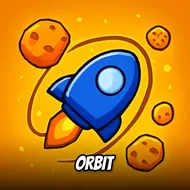
Orbit
Instructions:
- Tap and hold to slow down the satellite - Avoid the crash with the asteroidsDescription
Play Orbit 100% Free
No installs, no waiting around for a download bar to crawl across your screen. You click into the browser tab and you're already circling Earth, satellite humming along on autopilot while your brain catches up. That's kind of the whole appeal here — zero friction between wanting to play and actually playing. Close the tab when you're bored, come back five minutes later, nothing lost. For a game this pared-down, that instant-access setup fits the vibe perfectly, honestly it would feel wrong any other way.
Key Combinations
- Tap and hold to slow your satellite's orbit speed
- Release to let it drift back up to full pace automatically
- No steering input needed — the orbit path is fixed, only your speed changes
- Time your holds around gaps between incoming asteroids
- Quick taps work for tiny speed nudges instead of long holds
Top Tips
- Don't panic-hold the second you see a rock. Slowing down too early just means you're crawling through a danger zone longer than you need to.
- Watch the spacing between asteroid clusters, not just the nearest one — sometimes speeding through a small gap beats braking for a big one further out.
- Keep your thumb (or mouse button) relaxed and ready. This is a game of small corrections, not one dramatic save.
- Rhythm matters more than reflexes once you've played a few rounds. You start feeling the orbit's pulse instead of reacting to every single rock.
- Losing focus for even a second is usually what kills you, not bad luck. Asteroid patterns are readable if you're actually looking.
- Treat early rounds as practice laps. The pace ramps up gradually, so there's no shame in crashing while you're still learning the spacing.